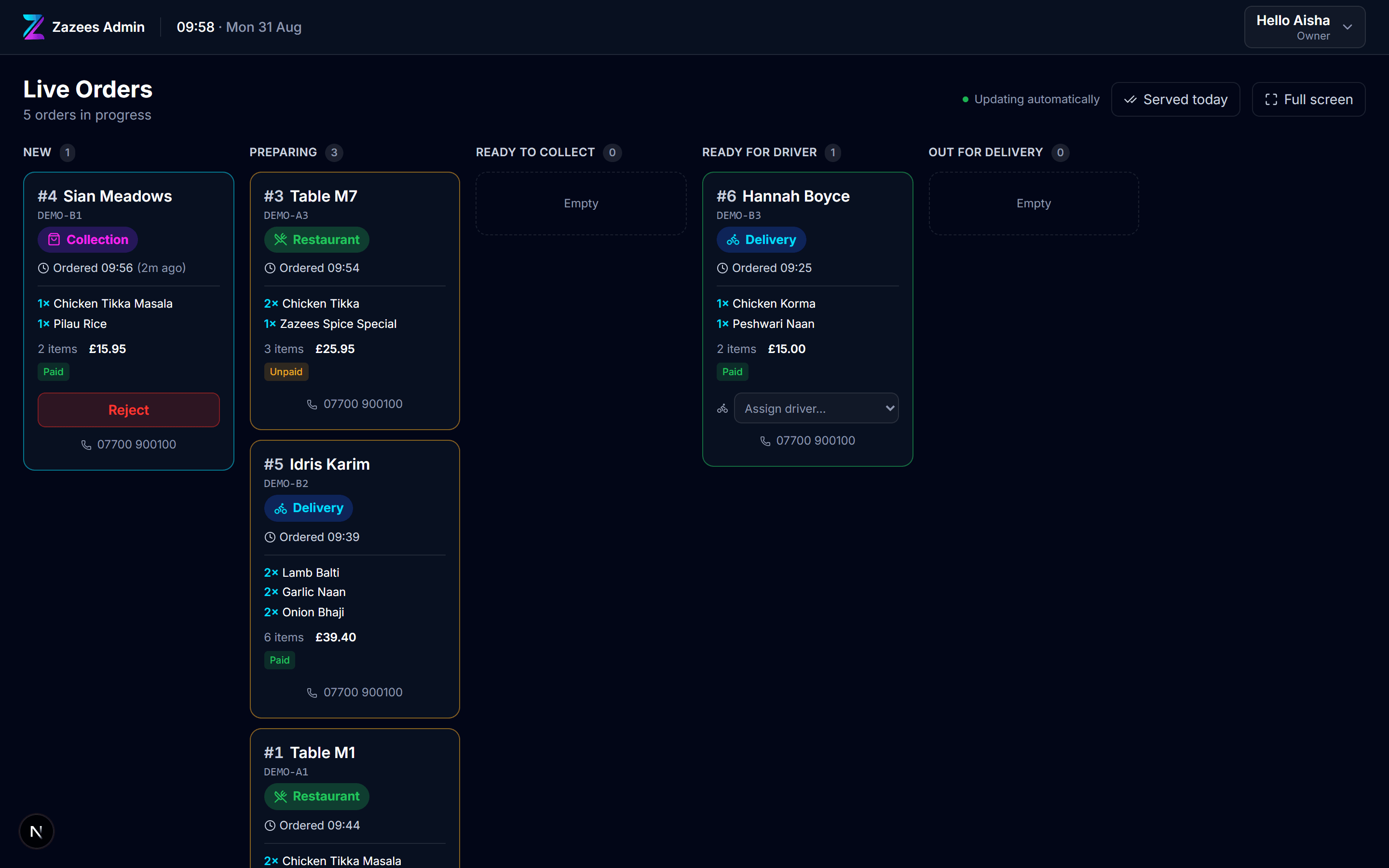
Live Orders
Every order, and how late it is
Collection, delivery and the tables, in the columns your service already runs in. It beeps until somebody accepts, and it tells you which ticket is running behind before the customer does.
Restaurant point of sale
Orders, the till, the tables, the diary and the stock — one system, on the tablets you already have, printing to the printer you already own.
The till, the website, the kitchen screen, the diary and the stock count are the same software looking at the same orders. Nothing to reconcile at midnight.
Android tablets and a USB receipt printer. No proprietary terminal to buy, nothing to lease, and no card processor you are locked into.
Every screen here came out of a real restaurant's service and got changed until it survived a Friday. It is not a demo that grew.
Real screenshots of the running software, with a real service on it.
Live Orders
Collection, delivery and the tables, in the columns your service already runs in. It beeps until somebody accepts, and it tells you which ticket is running behind before the customer does.
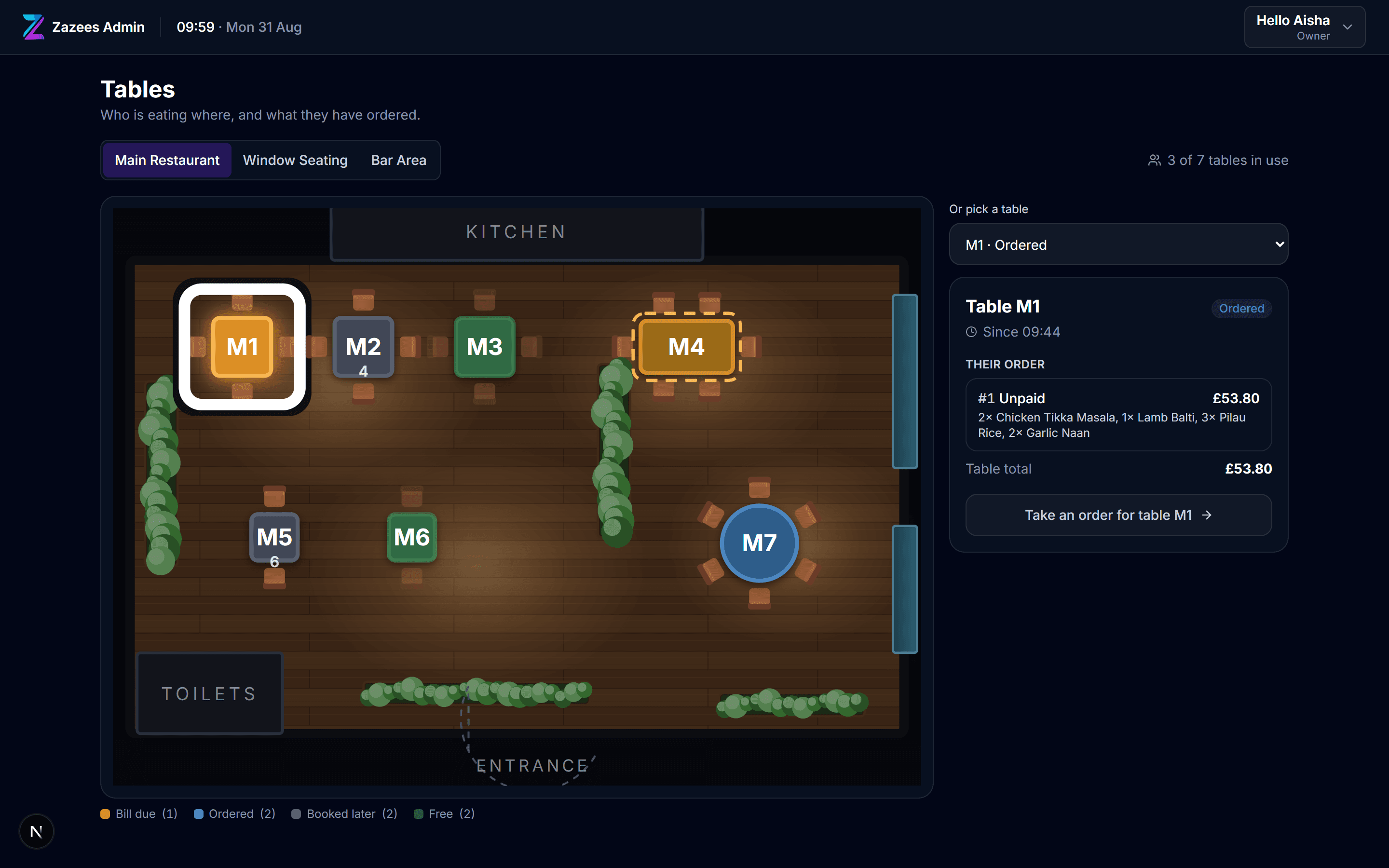
Tables
Your own floor plan, coloured by what is happening on each table. The one that catches people out is amber: served, and nobody has asked for the bill yet.
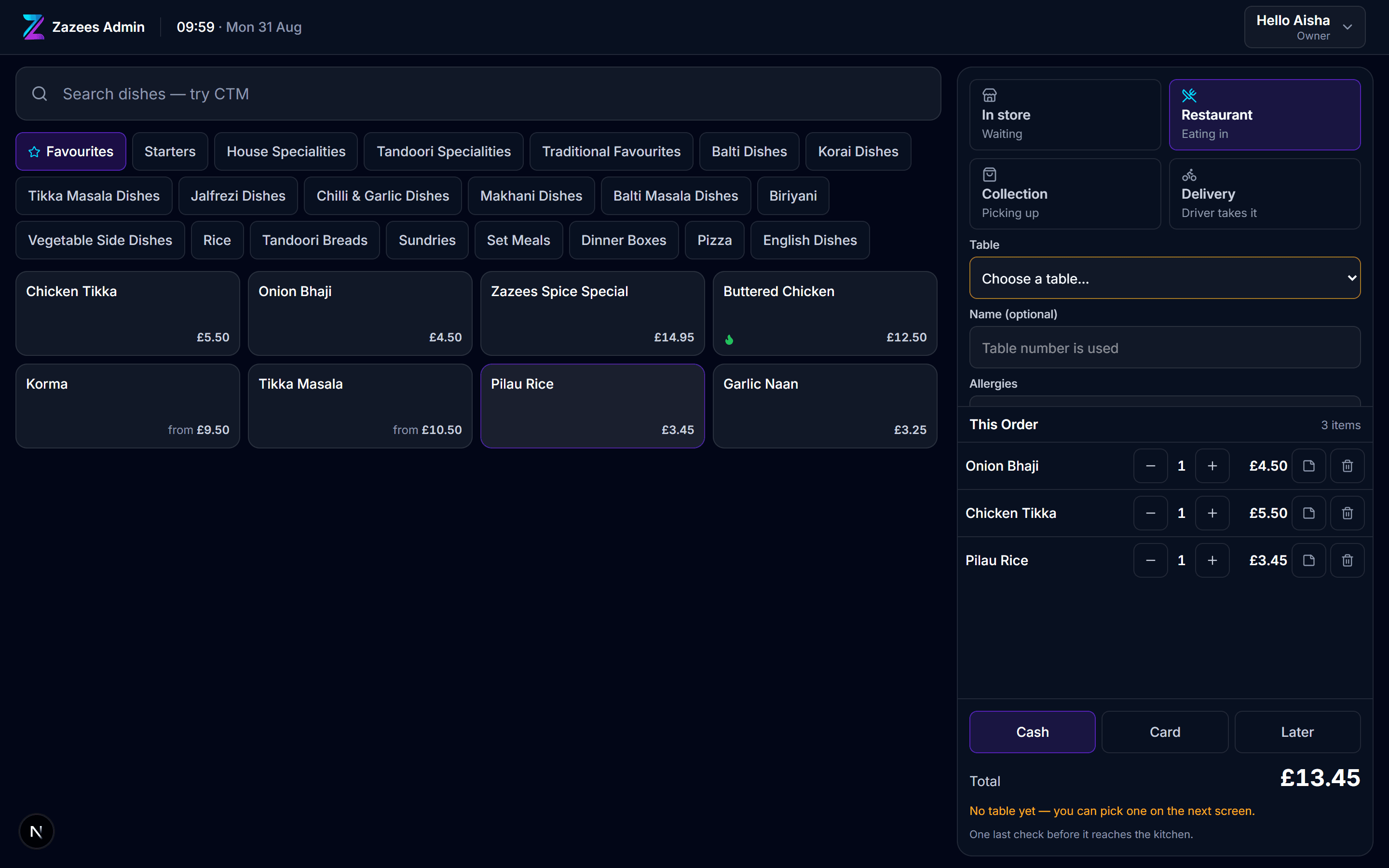
Till
Search by name or by the letters staff actually say — type CTM, get Chicken Tikka Masala. Eat-in can carry its own price, so a table is charged differently from a bag over the counter.
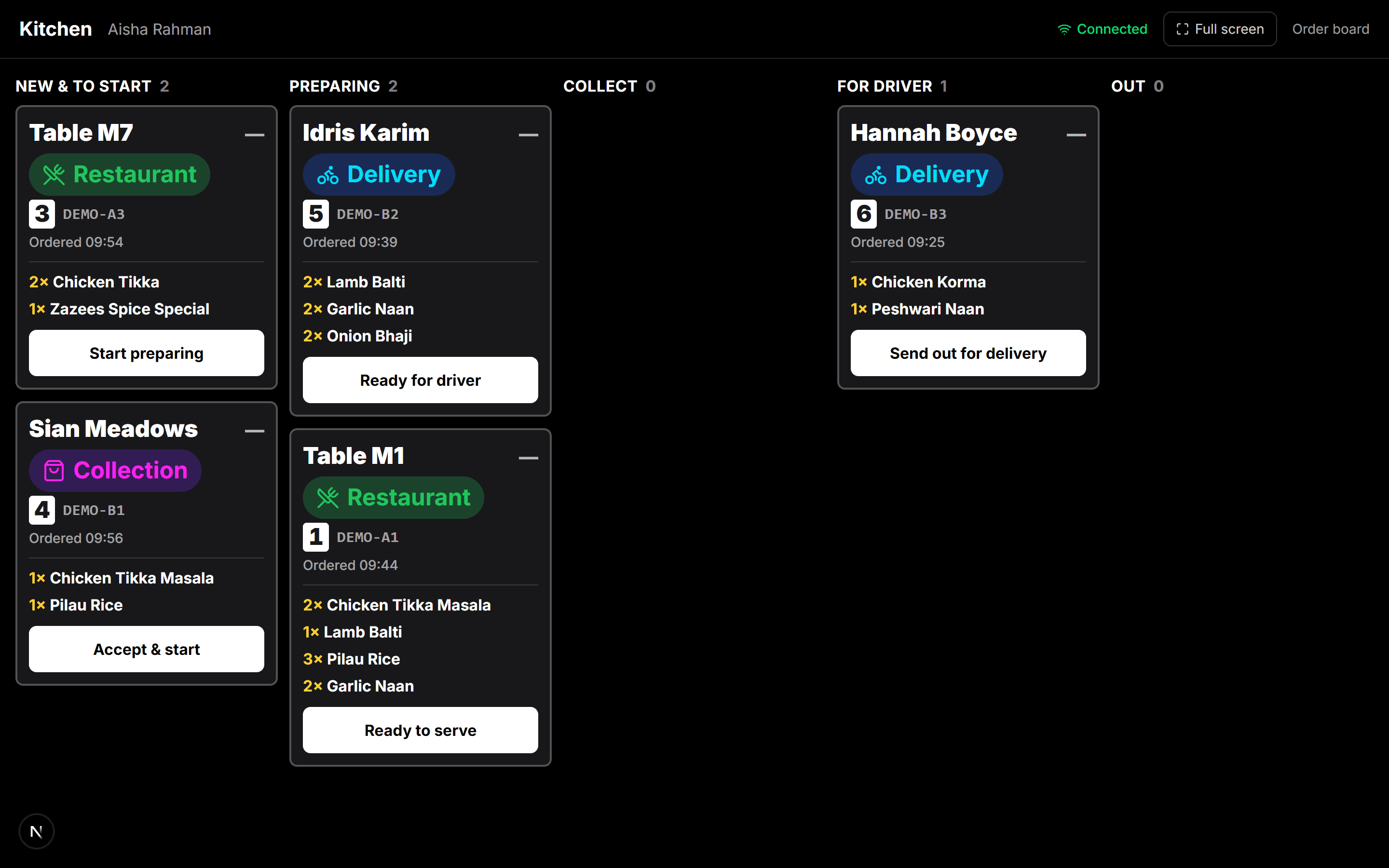
Kitchen
Big type, allergies impossible to miss, and a ticket that prints on your own USB printer. No tablet balanced on a shelf running somebody else's app.
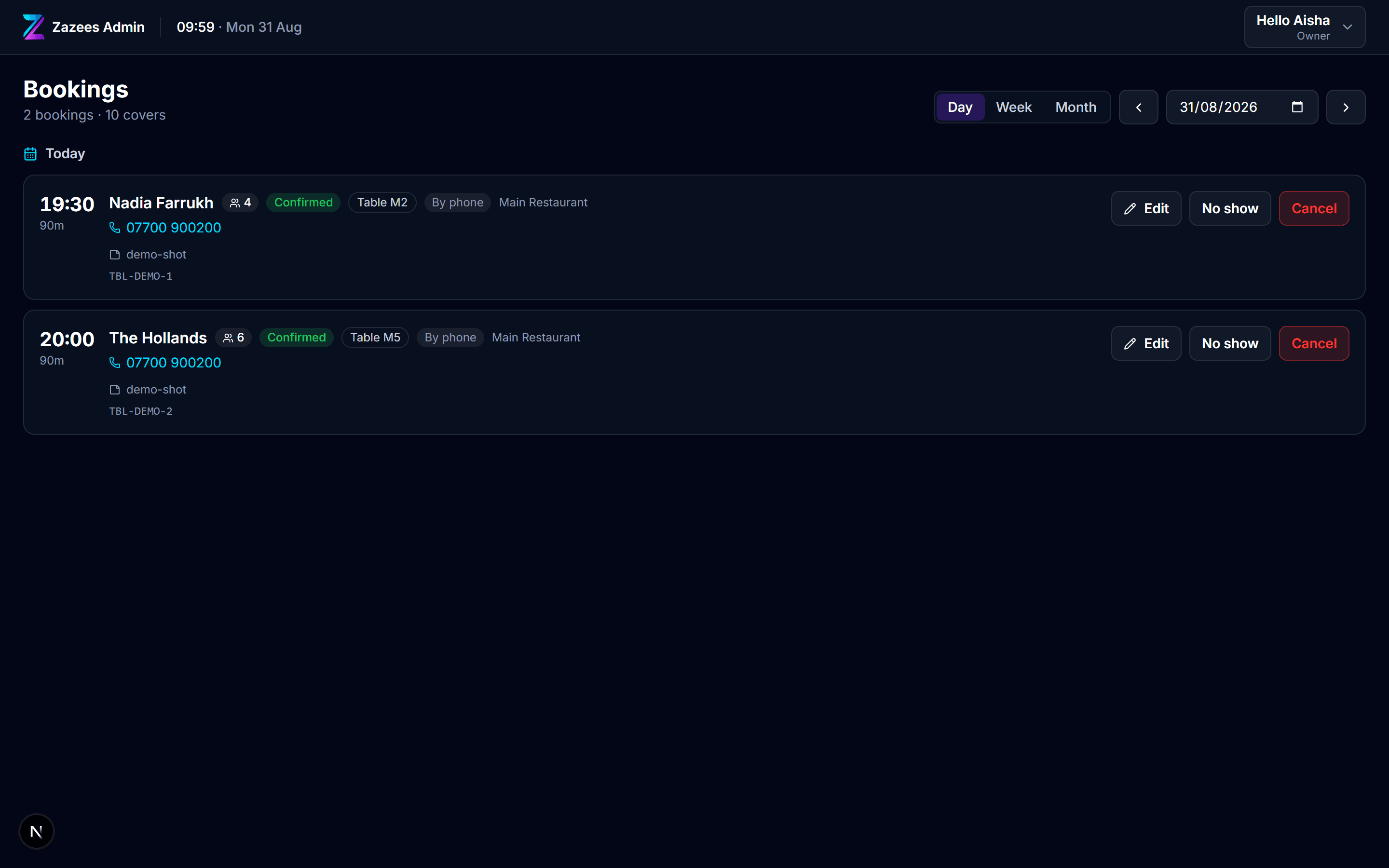
Bookings
Day, week and month. Tables are allocated automatically when a booking comes in, and you can overrule it — pick the window table for an anniversary at the point of taking the call.
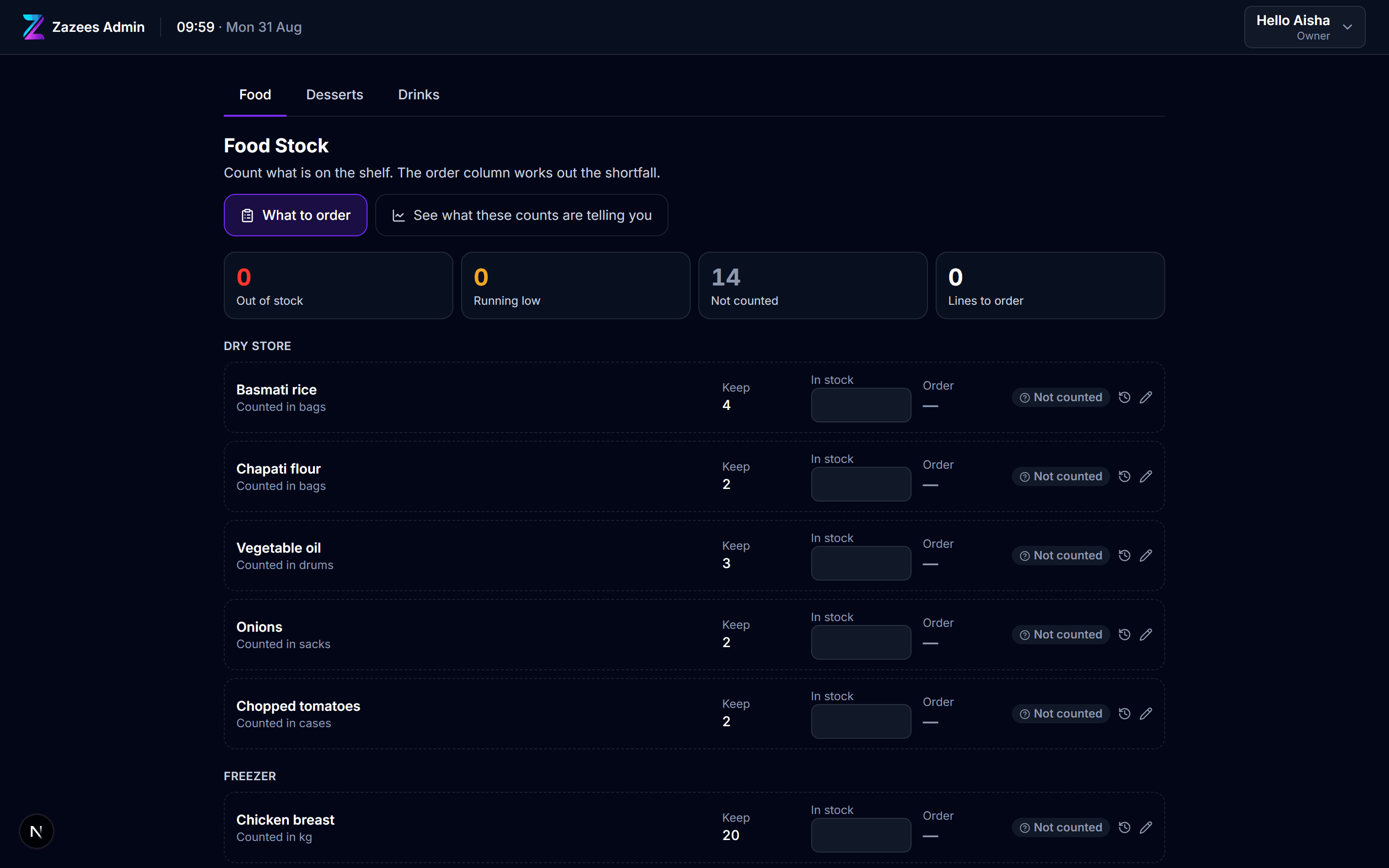
Stock
Food, desserts and the bar counted separately because they are counted by different people. It works out the shortfall and tells you plainly which lines nobody has counted rather than quietly leaving them out.
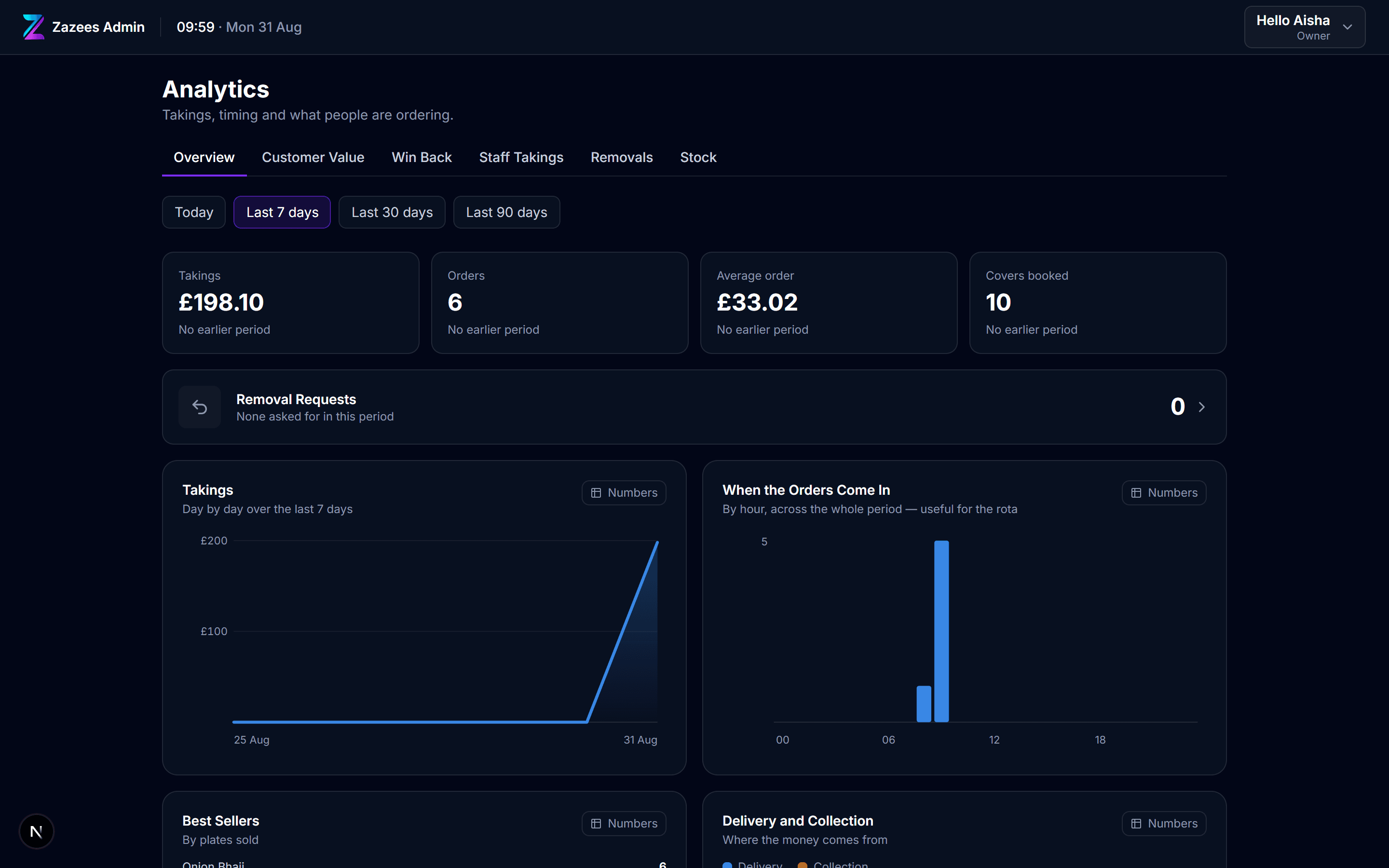
Insights
What the week took, who has stopped coming and what they used to order, which staff took what, and where the stock money is sitting.
On your tills
Download the Android app onto each till and the back office fills the screen: no address bar, its own icon, locked to landscape, and the same login as the browser. Nothing to sync and no second version to keep up to date.
A second app drives your USB receipt printer, so tickets print from the tablet they are plugged into rather than through somebody else’s cloud.
The whole back office, full screen.
Installed from your own admin
Drives your USB receipt printer.
Installed from your own admin
No card terminal to buy, no percentage of your takings, and no charge per order. Cancel whenever — your data leaves with you.
Takeaways and collection. One till, one printer.
£49 /month
Everything a room with tables needs.
£89 /month
More than one site, run from one place.
£179 /month
Indicative pricing. These figures are being finalised — talk to us and we will confirm what your site would actually pay before you commit to anything.
Answered here rather than on a call, including the one where the answer is no.
We will set up a site with your menu on it so you can ring up a real order, print a real ticket, and decide from that rather than from a brochure.
Get started